



Desktop App
Layerbase Desktop
21 engines · 3 platforms · 18 themes
A beautiful GUI for managing all your local databases. Create, query, backup, and monitor PostgreSQL, MySQL, MongoDB, Redis, and more. No terminal required.
Features
Built for developers
Every feature designed to make database management fast and painless.
Multi-engine management
Create, start, stop, and delete containers for 21 database engines from one interface.
Query workspace
Multi-tab editor with syntax highlighting, real-time results, sorting, filtering, and copy-to-clipboard.
Command palette
Keyboard-driven navigation with Cmd+K. Fast access to all actions, containers, and settings.
System tray
Quick access from your menu bar. Toggle containers on/off, view status, get notifications.
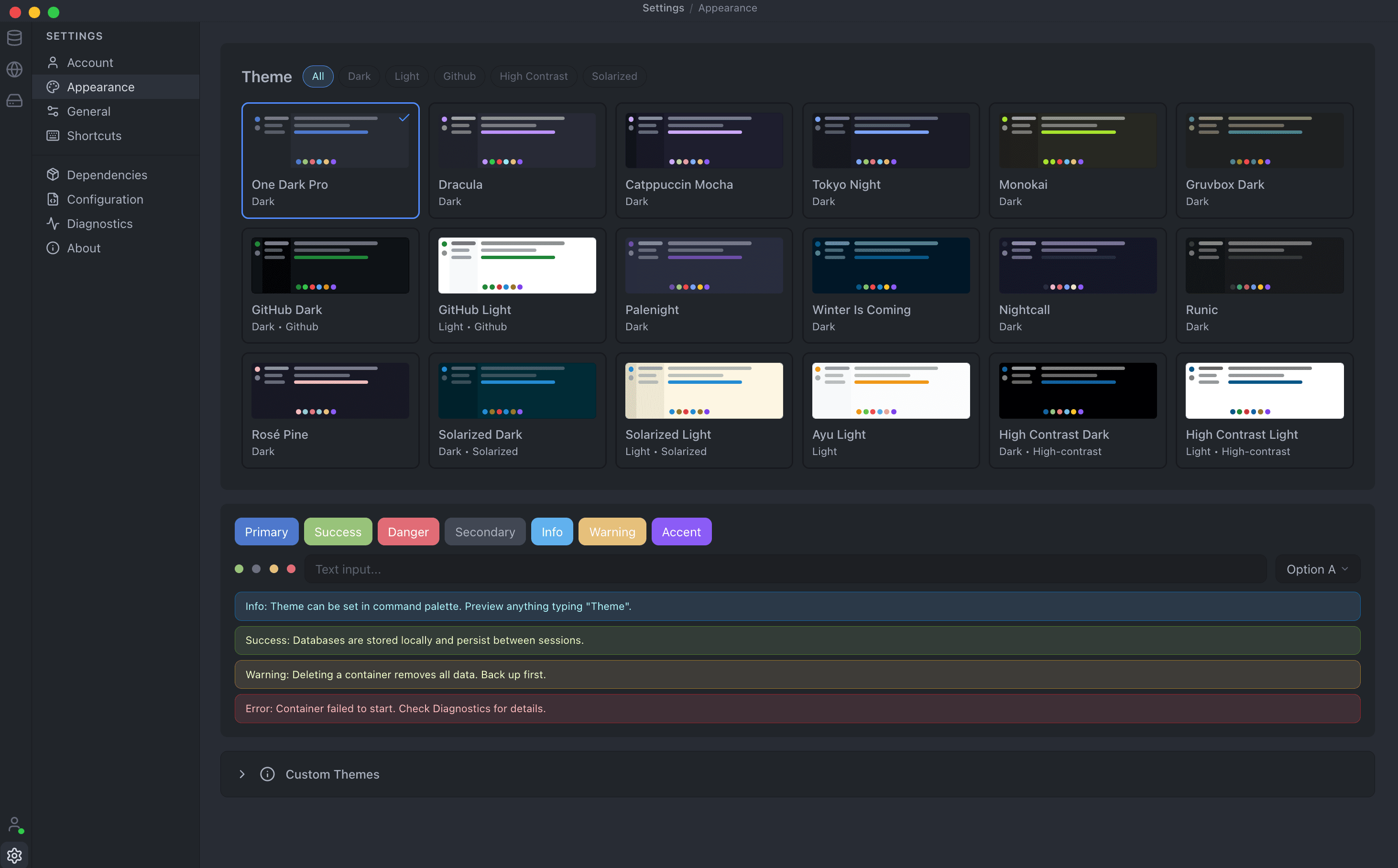
18 themes
VS Code-compatible theme system with dark and light modes. Live preview and instant switching.
Auto-updates
Background update detection and download. Seamless upgrades with a single click.
Backup & restore
Create database snapshots and restore from backups. One-click data safety.
One-click actions
Copy connection URLs, view logs, clone containers, and more, all from the sidebar.
Remote databases
Link cloud-hosted databases and manage them alongside local containers.
Themes
Make it yours
Ship with 18 built-in themes and full support for custom themes. Uses the same JSON format as VS Code, so thousands of community themes work out of the box.
Engines
21 databases, one app
Every engine that Layerbase supports, right in the GUI.
Platforms
Available everywhere
Native installers for every major operating system.
macOS
Universal binary (Intel + Apple Silicon)
DMG installer
Windows
Windows 10+
NSIS installer + portable EXE
Linux
Debian, Ubuntu, Fedora, RHEL
.deb and .rpm packages
Under the Hood
How it works
Layerbase Desktop wraps the Layerbase CLI in a native shell, giving you a visual interface over the same powerful engine.
FAQ
Desktop questions
Is Layerbase Desktop a database runner or a database IDE?
Both. It installs and runs supported database engines locally without Docker, and it provides a multi-engine IDE for creating, querying, backing up, restoring, and monitoring those databases.
Can Layerbase Desktop connect to an existing database?
Yes. Link a supported local or remote connection string and manage it beside databases that Desktop created. The database can run on your machine, Layerbase Cloud, another provider, or your own server.
Does Layerbase Desktop work offline?
Yes. Local database management works offline. AI features need a network connection, and paid-plan activation needs an initial sign-in.
How is Desktop related to the Layerbase CLI?
Desktop is the visual interface over the same Layerbase CLI and engine runtime. Use the GUI when you want an IDE and the CLI when you want scripts, CI, or terminal workflows.
Try Layerbase Desktop
Download the app and have your first database running in under a minute. Free for personal use.